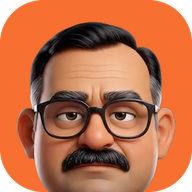
The best macOS focus app with accountability in 2026.
You have a MacBook, a list of things to ship and a YouTube tab that’s been open since 9 AM. Apps that cover your screen or send polite notifications are easy to ignore. What works for a lot of solo founders is accountability: something that asks what you promised this morning and checks tonight whether you did it. Here’s what that looks like on a Mac, and how to pick a tool.
The short answer
- A focus app with accountability asks for your plan in the morning, notices when you drift, and checks at night what got done. A blocker only stops you reaching a site.
- For a daily plan, site time limits and sales in one place: Papa, a dad in your Mac’s notch. 3 days free, then $9.99 once.
- For widgets and a file tray in the notch: NotchNook. It’s a utility, not a focus tool.
- To hide the notch: TopNotch. Free.
- The two habits that matter most: up to three tasks each morning, and an honest check every evening.
What is a macOS focus app with accountability?
It’s an app that makes you answer for your day. You say what you’ll get done, it keeps an eye on how the day goes, and at the end it asks whether you did it. A blocker stops you reaching a site. A timer counts down. Neither one asks what you were supposed to be doing.
The accountability gap
When you work alone, nobody asks how the launch is going. There’s no stand-up and no boss, so the day drifts. Blocking a website doesn’t fix that: you just find something else to do. What’s missing is someone who asks what you’re doing today and checks in later. It’s the difference between a silent alarm and your dad asking, “Did you finish those three things?”
Why timers and blockers stop working
- They’re easy to switch off. Snooze the notification, quit the blocker, and you’re back on YouTube in three clicks.
- They don’t know your plan. A timer can’t tell whether you spent the hour shipping or reorganising your to-do list.
- Nothing happens if you fail. No one notices a wasted day, so the easy option wins.
Accountability isn’t about restriction. It’s about being seen. When someone, or something, is going to ask how it went, you work differently.
Comparison of focus and notch tools for 2026
| App | Best for | What it does | Price |
|---|---|---|---|
| Papa | Indie hackers and solo founders | Morning plan, evening check, site time limits, sales reactions | 3 days free, then $9.99 once |
| NotchNook | Widgets and a file tray | Customisable notch panels | $25 once, or $3/month |
| TopNotch | Minimalists | Hides the notch | Free |
The real choice is between apps that treat the notch as a shelf (music, files, widgets) and apps that use it to change how your day goes. If you’re struggling to focus, more widgets won’t help. For a wider list, see the best notch apps for Mac in 2026, and for blockers like Freedom and LeechBlock NG, the best focus tools for indie hackers.
Cost vs. value
Subscription fatigue is real, and more Mac utilities now sell for a one-time price. Before you pay monthly for a focus app, ask whether it pays you back. If it helps you ship one more feature or land one more sale, it already has.
How does a focus app with accountability work?
It works as a daily loop: a plan in the morning, nudges during the day, and a check at night. Here’s how Papa does it.
Morning: up to three things
The first time you open your Mac each day, Papa drops out of the notch and asks for up to three tasks. Writing them down before the first video starts is the whole trick: it’s a small promise you’ve made to yourself, and you know he’ll ask about it.
- The prompt: Papa drops down from the notch on the day’s first wake.
- The commitment: you type up to three things you’ll get done.
- The reminder: hover over the notch any time to see them, with today’s sales and your streaks.
During the day: site time limits
Give YouTube, X or any site a daily time limit in Safari or Chrome. Go over and Papa speaks up: he asks nicely, then taunts, then brings up the neighbour’s kid who’s doing better than you. Nothing is blocked, so there’s no wall to take down. When you need quiet, focus mute keeps him silent until it ends.
Evening: the check
At the time you pick, Papa asks which of the morning’s tasks got done. All three gets a “well done”; none gets disappointment. Streaks count the days you keep it up. This is the step most people skip, and it’s the one that makes the morning list mean something.
Sales tracking for freelancers and founders
If you sell online, putting your sales next to your work turns abstract numbers into instant feedback. A sale popping out of your notch is a better motivator than a timer telling you to sit still.
Why revenue keeps you focused
For a solo founder, “working” and “procrastinating” can look the same from the inside. Seeing today’s sales tells you whether the work is moving anything. Papa connects to Stripe or Dodo Payments, reacts to every sale, and shows today’s revenue and MRR when you hover over the notch. If there are no sales by evening, the belt comes out: a cartoon belt from the notch, at most once a day, and you can turn it off.
Tips for tracking sales without obsessing
- Look once: check today’s numbers once in the afternoon instead of refreshing the dashboard.
- Set your own big sale: Papa has a big-sale threshold, so the big reactions are saved for sales that matter to you.
- Mute deep work: use focus mute for your most important hours. Sales that land while you’re muted get one summary line when it ends.
Security and read-only keys
Never give a sales app full access to your account. Use a restricted, read-only key, so the app can see your sales but can’t move money, issue refunds or change settings. Papa asks for a read-only key and keeps it in your Mac’s Keychain, not on a server. Stripe explains how to make one in its API keys documentation, and Papa’s privacy policy lists exactly what leaves your Mac.
How to set up your Mac notch for a better workflow
The space around your camera can show you what matters at a glance. For a founder, that’s three things: what you need to do today, how much time you’ve lost, and whether you’re making money.
Keep it quiet
The trap is over-building. A notch that’s always animating or full of widgets is just a more expensive distraction. If something in your notch doesn’t help you ship, take it out.
Papa’s pricing: try him, then pay once
- 3-day free trial with every feature on, sales and the belt included.
- After that, buy Papa once, or he goes quiet. Nothing is charged by itself.
- Price: $9.99 once, and $4.99 for the first 25 buyers. One payment, no subscription, no account. A license covers 2 Macs.
- Needs: macOS 14 Sonoma or later, in English or Hinglish. Works on Macs without a notch too.
Already used Papa before the trial existed? You keep the free plan you had. Release notes are in the changelog.
Common mistakes with focus apps
The most common one is using rigid blockers that treat you like a machine. You end up playing cat and mouse with your own rules, spending more energy getting around them than working. For YouTube in particular, see how to limit YouTube on a Mac.
| Mistake | What happens | Fix |
|---|---|---|
| Blocking everything for eight hours | You feel trapped and switch the app off | Nudges all day, a hard block only for your key hours |
| Skipping the evening check | The list becomes a wish list | Answer the check every night, even on bad days |
| Planning ten things | Every evening feels like failing | Up to three a day |
| Connecting a full-access payment key | An app can touch your money | A restricted, read-only key |
The takeaway
- Define the win: up to three tasks every morning.
- Connect your sales, if you sell online, for instant feedback.
- Own the evening: check in before you close the laptop. That’s how streaks are built.
- Pick accountability over blocking: a tool that nudges you like a person, not one that locks you out.
Questions
What is a focus app with accountability?
An app that asks what you plan to get done, keeps an eye on how the day goes, and checks at the end of the day whether you did it. A blocker stops you reaching a site; an accountability app makes you answer for your day.
Does Papa block websites?
No. Papa gives sites like YouTube a daily time limit in Safari and Chrome, and when you go over he speaks up from the notch. Nothing is blocked. If you want a hard block, use a blocker such as Freedom alongside it.
Is Papa free?
Papa has a 3-day free trial with every feature on. After that you buy him once, $9.99, or $4.99 for the first 25 buyers. There is no subscription, no account, and nothing is charged automatically when the trial ends.
Is it safe to connect Stripe to a Mac app?
Use a restricted, read-only key, so the app can see your sales but can’t move money, refund or change settings. Papa asks for a read-only key and keeps it in your Mac’s Keychain; it isn’t sent to a server of Papa’s.
Does Papa work on a Mac without a notch?
Yes. Papa needs macOS 14 Sonoma or later and works on Macs and external displays without a notch too.
More from the blog: the best focus tools for indie hackers on a Mac and how to limit YouTube on a Mac.